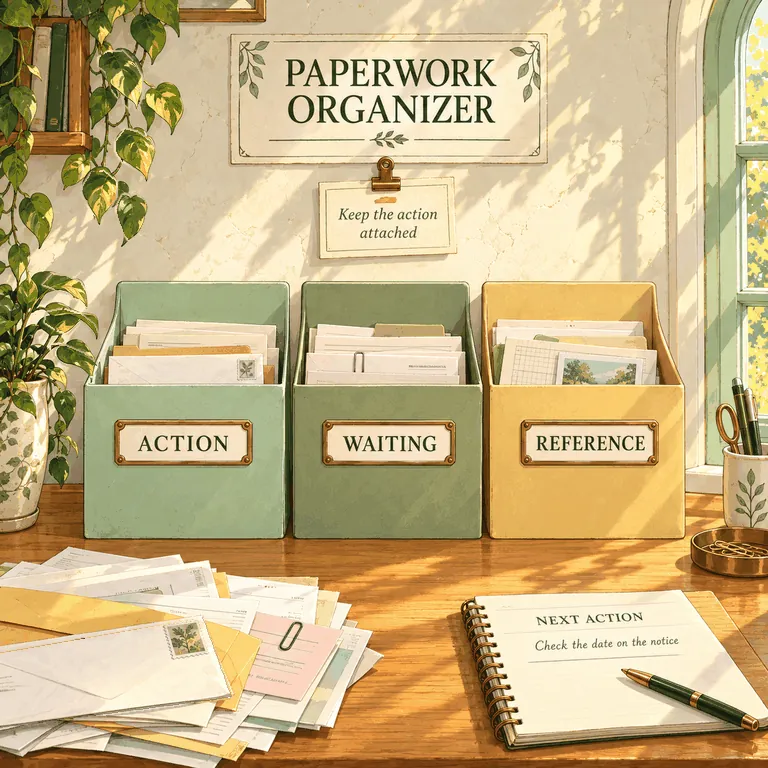
Paperwork Organizer · Free guide
Decide what each paper needs before you file it. Write down the next step, the real date and where it is. After you send something in, keep its confirmation and follow-up details together.

Free printable · Paperwork Organizer
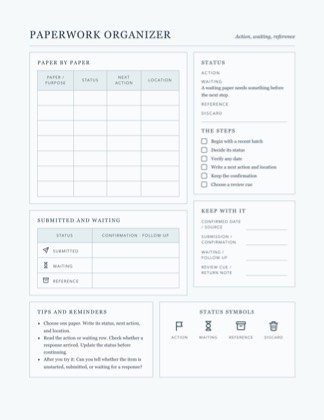
Know what needs you, what’s waiting, and where each paper or receipt is kept.
You can type into the PDF on your phone, or print it.
The steps
A paper can be filed neatly and still have something left to do. Keep track of where it stands and where it’s stored.
Paperwork Organizer · Free guide
Decide what each paper needs before you file it. Write down the next step, the real date and where it is. After you send something in, keep its confirmation and follow-up details together.
Made-up example
Here’s a made-up form. Check the deadline on the notice, write “complete section B” and note which folder it’s in. After you send it in, write down the receipt number and any follow-up date they gave you. Now it says Waiting, so it doesn’t look like a form you never started.
Choose one paper. Write where it stands, its next step and where you’re keeping it.
Read the row for what needs doing or what’s waiting. Check if an answer came in, and update the row before you keep going.
After you try it: Can you tell if a paper hasn’t been started, has been sent in or is waiting for an answer?
Your worksheet
It saves on this device as you type. Nothing is sent anywhere.
Send to my app puts your answers in A Place to Put It as loose ends. Free, no account.
Share the whole task
Agree who’ll notice the job, get it ready, do it and follow up. Then put the details in a message you can read over and copy.
Saved in this browser when storage is available. Nothing is sent automatically. Share only details the other person needs.
No. Decide first if it needs something done, and keep the next step with the paper.
It depends on the document. Check the official source for that one. There’s no single rule for everything.
Agree who’s in charge of it and where it belongs. Keep private details in one place only.
Source: the steps and worksheet in this Something Lighter guide. Reviewed 13 October 2026.
In the shop
Everything above is free and complete. The kit adds a budget for every month of 2027, every bill on a calendar, and a payday page that shows what’s left after the bills and the savings.
See what’s insideDid this help?
What got in the way? This is optional.
Only your choice and this guide’s name are counted. Your worksheet answers stay in your browser.
Next
Digital File Organizer
Give the files you need a home you can find, and set aside the ones you’re not sure about.
Evening Routine Checklist
Write down what’s unfinished, check tomorrow, and leave yourself a note before you stop.
Examples on this page are made up. Use your own dates and details.
My story, and the small systems that got me through. It's free to subscribe.
Subscribe →Settled pulls the dates, the forms to sign and what to bring out of school papers and emails, right on your phone.
See Settled →